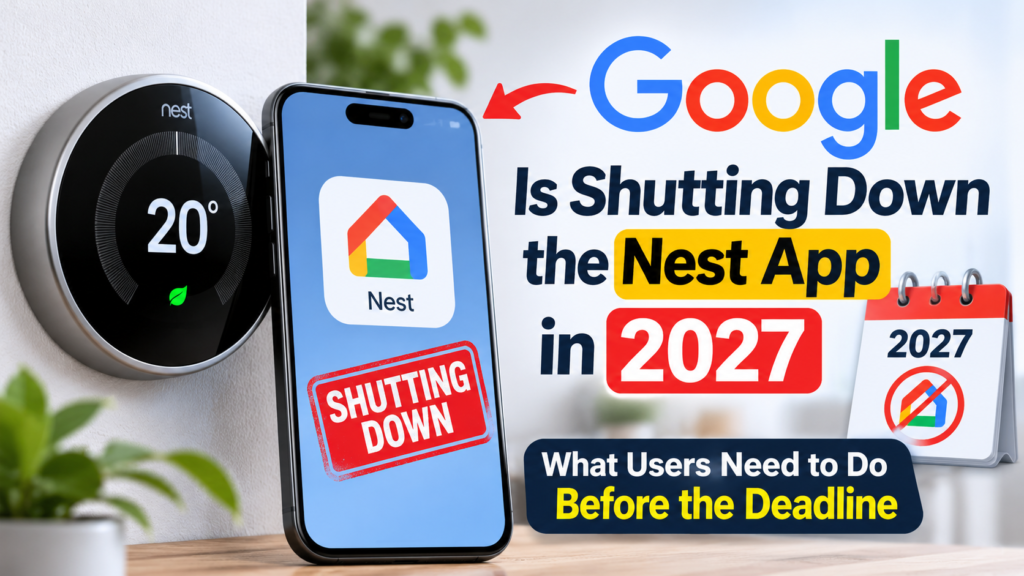


Google is bringing its smart home services together under one platform. Nest users will need to move to Google Home, while Google Assistant on smart speakers and displays will eventually be replaced by Gemini for Home.
Google is making a major change to its smart home ecosystem. The company has confirmed that the Nest app will be retired on January 25, 2027, ending its long-running role in controlling compatible Nest devices. Users will need to use the Google Home app to manage their smart home equipment remotely.
The change does not mean that existing Nest cameras, thermostats, doorbells and other supported devices will suddenly stop working. Instead, Google is moving their controls into one application. The company has also announced that Google Assistant will be retired from smart speakers and displays on August 2, 2027, with Gemini for Home taking its place.
These changes could affect millions of people who use Google’s smart home products. Here is what is changing, when it will happen and what users should do before the deadlines.
Why Is Google Retiring the Nest App?
Google acquired Nest in 2014 and gradually brought its products into its wider smart home ecosystem. However, users have continued to rely on two separate applications for different devices.
The Nest app has been used to manage older products, including compatible cameras, thermostats, doorbells and security devices. The Google Home app has become the central platform for newer smart speakers, displays and connected home equipment.
Maintaining two applications can make device management more complicated. Users may need to switch between apps to check cameras, adjust temperatures or control different parts of their homes.
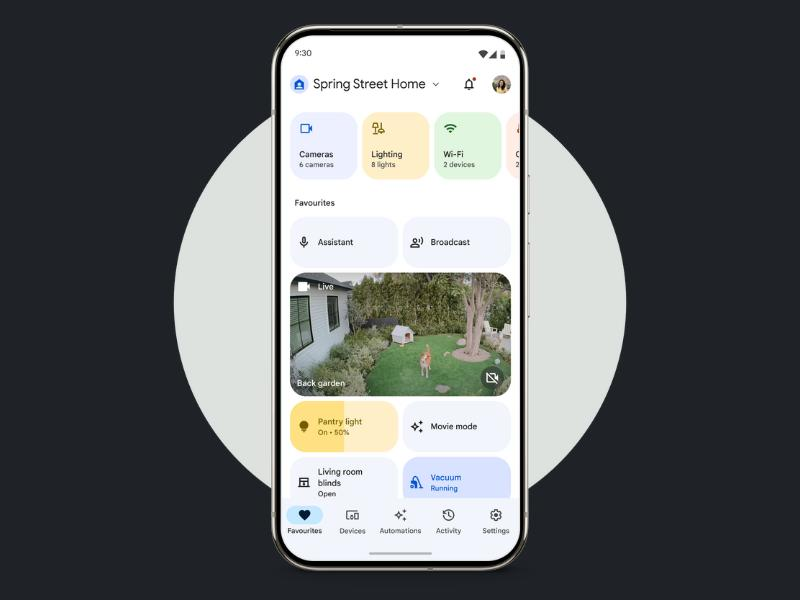
Google now wants to bring these functions together in Google Home. The company says the move will allow it to focus its development, security improvements and new features on one platform.
Important Dates Every Nest User Should Know
Google has announced several deadlines for the transition. Users should pay attention to each one because the Nest app retirement and Google Assistant replacement are separate changes.
| Date | What happens |
| January 25, 2027 | Nest app retires on Android, iOS and the web |
| January 25, 2027 | Supported Nest devices and video history begin transferring to Google Home |
| March 25, 2027 | Deadline to migrate an old Nest account to a Google Account before data deletion begins |
| August 2, 2027 | Google Assistant retires on smart speakers and displays, replaced by Gemini for Home |
The January deadline concerns the Nest app, while the August deadline affects the voice assistant on supported smart home hardware.
Will Existing Nest Cameras and Thermostats Stop Working?
No. This is one of the most important details of the announcement.
Google says supported Nest hardware will continue working after the Nest app is retired. The change affects how users access and manage their devices, rather than ending support for the hardware itself.
Compatible products include:
- Nest cameras and video doorbells
- Nest Learning Thermostats and Thermostat E
- Nest Protect smoke and carbon monoxide alarms (2nd generation)
- Nest x Yale smart locks
- Compatible Nest temperature sensors
Google plans to transfer supported devices into the Google Home app. Existing schedules, settings and camera history are also expected to move as part of the transition.
Users will still need the Google Home app to remotely control their devices and receive notifications after the Nest app closes.
What Happens to Saved Camera Recordings?
Users should pay particular attention to their manually saved camera clips.
Google says regular Nest camera video history will transfer automatically for supported devices. However, custom video clips manually saved through the Nest web interface at home.nest.com will not transfer automatically.
Anyone who wants to keep these clips should download them before January 25, 2027.
This is especially important for people who have saved recordings for personal records, security purposes or other reasons. Waiting until after the deadline could mean losing access to those manually saved files.
How to Prepare for the Google Home Transition
Nest users do not need to replace their existing supported devices simply because the application is changing. However, preparing in advance can make the transition easier.
Here are the main steps:
1. Download Google Home
Install the Google Home app from the Google Play Store or Apple App Store. Make sure you are using the official application published by Google.
2. Check your Google Account
Google Home requires a Google Account. If you have been using Nest with a separate Nest login, you should complete the account migration before the deadline.
People who started using the Nest app with a Google Account after August 19, 2019, generally do not need to migrate their account again.
3. Save important camera clips
Visit home.nest.com and download any manually saved video clips you want to keep. Google provides a Download All option for this purpose.
4. Review your connected devices
Check which Nest products are supported by Google Home. This will help you understand what will transfer and how you will manage your equipment after the change.
5. Complete the transition before the deadline
Do not wait until January 25, 2027, to check your account. Make sure you can access Google Home and your Google Account before the Nest app becomes unavailable.
Google Assistant Is Also Being Replaced by Gemini for Home
The Nest app is not the only part of Google’s smart home ecosystem changing.
Google has also confirmed that Google Assistant will be retired from smart speakers and smart displays on August 2, 2027. Gemini for Home will become the replacement voice assistant.
Traditional Google Assistant interactions often depend on specific commands. For example, users might say, “Hey Google, turn off the living room lights” or “Set the thermostat to 22 degrees.”
Gemini for Home is designed to understand more natural conversations and complex requests. Users can speak more naturally, ask follow-up questions and give instructions without relying as heavily on fixed command structures.
Google says the updated assistant will provide richer answers and better understand conversational context.
The change is part of Google’s wider move towards Gemini-powered services. However, availability and features may vary by country and supported device.
What Does This Mean for Smart Home Users?
The transition could make managing connected devices easier by bringing more controls into one application. Users will have a central place to manage supported Nest equipment alongside other compatible smart home products.
However, moving everything into one platform also means users will depend more heavily on Google Home. People who prefer the older Nest interface may need time to adjust to the new experience.
There is also a wider question about how much control users have over devices that depend on cloud services and company-managed applications. Smart home hardware can remain physically functional while changes to software, accounts or remote services affect how owners use it.
For this reason, users should understand account requirements, save important recordings and keep their applications updated.
The Future of Google’s Smart Home Ecosystem
Google’s decision to retire the Nest app marks another step towards a unified smart home platform. The company is bringing supported Nest devices into Google Home and replacing its older voice assistant with Gemini for Home.
For existing users, the most important thing is that supported Nest hardware is not being discontinued as part of this announcement. The main changes involve the application, account requirements and voice assistant.
With January and August 2027 approaching, Nest owners should prepare early rather than wait until the final dates. A little preparation now can help avoid losing access to important recordings or experiencing difficulties controlling connected devices later.