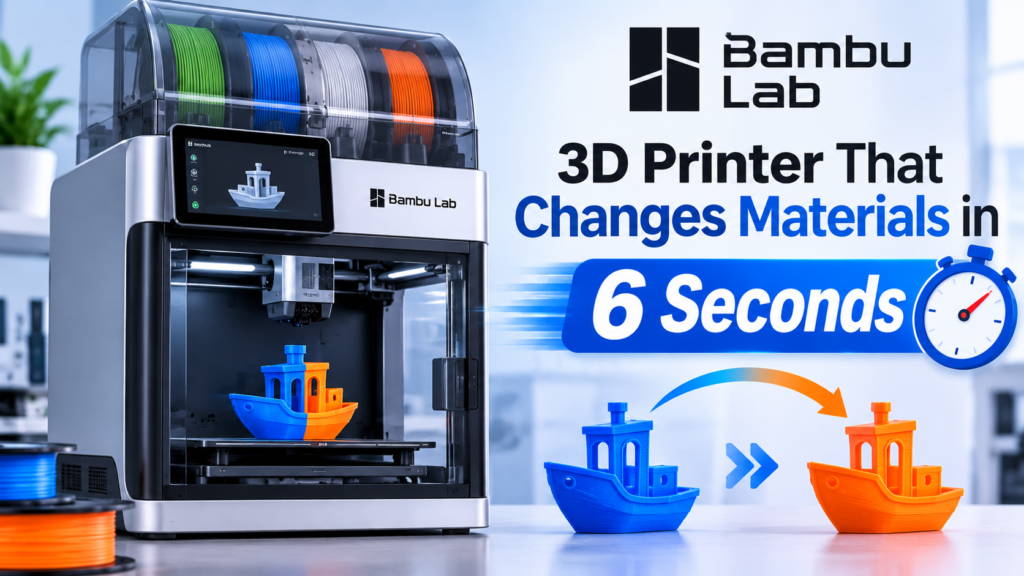


The new desktop 3D printer can work with multiple colours, flexible materials and different nozzle sizes in one project, bringing advanced multi-material printing to a wider audience.
Imagine designing a small robot with a flexible body, hard protective parts and several different colours. Traditionally, creating something like this with a desktop 3D printer could require multiple printing sessions, manual material changes or several machines.
Bambu Lab wants to make that process easier with its new P3C desktop 3D printer, announced on November 24, 2026. The machine introduces a seven-slot tool-changing system called Swaptek, allowing it to switch between different printing tools in approximately six seconds.
Starting at $1,149 before applicable taxes, the P3C brings technology from the company’s more expensive H3C printer into a more accessible desktop machine.
The announcement is significant because it focuses on one of the biggest challenges in 3D printing: combining different colours and materials without repeatedly stopping the printing process.
What Makes the Bambu Lab P3C Different?
Most traditional desktop 3D printers use a single printing nozzle. When users want to change colours or materials, the machine must remove the existing filament and feed in another one.
This process can take time and may waste material while the nozzle is cleaned before printing resumes.
The P3C uses a different approach. Instead of relying on one nozzle for every material, it has a system that automatically changes between separate printing tools.
Each PrintTool has its own filament path, heating system and connections. This allows different materials to remain loaded in their respective tools.
When the printer needs another material, it prepares the next nozzle and changes tools rather than repeatedly unloading and replacing filament through the same nozzle.
According to Bambu Lab, material changes can take approximately six seconds, with the mechanical tool swap itself taking around 3.4 seconds.
This approach is designed to reduce waiting time and material waste during complex multi-material projects.
Seven Tool Slots for Different Materials and Colours
One of the P3C’s most interesting features is its seven-slot Swaptek tool-changing system.
However, the standard package does not include seven fully equipped printing tools. It comes with five standard PrintTools installed, while two additional slots remain available for expansion.
This gives users the option to configure the printer according to their projects.
For example, someone creating a colourful model could use multiple tools for different filament colours. Another user could combine flexible and rigid materials to create products with different physical properties.
The system can also support different nozzle sizes, allowing users to combine detailed printing with faster production of larger sections.
The printer supports several possible applications:
- Colourful models: Create figurines, decorative objects and prototypes using multiple colours.
- Flexible products: Combine rigid components with flexible TPU materials.
- Detailed designs: Use smaller nozzles for fine details and larger nozzles for other parts.
- Functional prototypes: Build objects that require different material properties.
- Creative projects: Experiment with different printing techniques and tool configurations.
For users who need even more colours, Bambu Lab says an optional expansion system can connect additional AMS units and support printing with up to 22 colours.
How Does the Swaptek System Work?
The main advantage of the Swaptek system is that every printing tool has its own filament path.
In a conventional single-nozzle system, changing colours often requires retracting the existing filament, feeding another one and removing leftover material before the next colour can be printed.
The P3C reduces the need for this repeated process.
Its system can prepare the next tool while the current one is still printing. The incoming nozzle is heated in advance, allowing the printer to change tools quickly when the design requires another material.
This is particularly useful for models containing several colours or materials because the printer does not have to repeat the same unloading and loading process for every change.
The result is a different approach to multi-material printing, where the machine switches between dedicated tools instead of relying on a single nozzle for everything.
Bambu Lab P3C Specifications
The P3C combines its tool-changing system with a fully enclosed printing area and an integrated filament-management setup.
| Specification | Bambu Lab P3C |
| Printing technology | Fused Filament Fabrication |
| Tool-changing system | Swaptek, seven slots |
| Included printing tools | Five |
| Material change time | Approximately 6 seconds |
| Build volume | 256 × 256 × 260 mm |
| Maximum nozzle temperature | 300°C |
| Supported nozzle sizes | 0.2mm, 0.4mm, 0.6mm and 0.8mm |
| Filament diameter | 1.75mm and 2.85mm with supported feed configuration |
| Maximum toolhead speed | 1,400mm/s |
| Maximum bed temperature | 110°C |
| Filament management | AMS 3P |
| Weight | Approximately 26.5kg including AMS 3P |
These specifications make the P3C suitable for a range of desktop manufacturing and creative projects. However, actual printing speeds and results depend on the material, model design, nozzle and printing settings.
What Can People Actually Make With It?
The biggest advantage of multi-material 3D printing is that users can produce more complex objects without assembling every component separately.
For example, a designer could create a small mechanical prototype with a hard outer structure and flexible sections. A student could build a model with multiple colours to explain a scientific concept. A small business could produce customised decorative products or functional prototypes.
Other potential applications include:
Product design: Designers can test different shapes, materials and structures before manufacturing a final product.
Education: Schools and universities can use 3D printing to teach engineering, design and manufacturing concepts.
Hobby projects: Creators can produce miniatures, toys, models and personalised objects with more detailed colour combinations.
Small-scale manufacturing: Workshops can produce selected customised components without immediately investing in industrial manufacturing equipment.
The printer does not replace industrial production systems, but it can make certain prototyping and small-batch projects easier to manage.
The Price: How Much Does the P3C Cost?
Bambu Lab has introduced the P3C with a starting price of $1,149 for the standard combo, excluding applicable taxes.
The company also offers configurations with additional printing tools and materials.
| Package | Starting price in the US |
| P3C Combo | $1,149 |
| P3C Multi-Colorist Combo | $1,269 |
| P3C Colorist Combo | $1,289 |
| P3C Multi-Material Combo | $1,299 |
| P3C Complete Experience Combo | $1,699 |
The standard combo includes the printer, AMS 3P and five standard PrintTools. Additional configurations provide more tools, filaments and accessories.
Prices and included equipment can vary by region and promotional period. The starting US price excludes tax, so international buyers should check local availability, shipping charges and import costs.
What Are the Limitations?
Although the P3C introduces an interesting printing system, it is not without compromises.
First, the standard package includes five printing tools rather than all seven. Users who want to use the full tool capacity need to purchase additional compatible tools.
Second, the AMS 3P included with the P3C does not provide the same automatic filament-loading experience found in some of Bambu Lab’s other AMS systems. Users may need to feed filament manually into the printing tools, which makes setup less convenient.
The Verge also highlighted this limitation in its first review, describing the printer as more suitable for enthusiasts and people comfortable with some manual adjustments than for complete beginners.
There is also the usual learning curve associated with 3D printing. Users must understand filament types, temperature settings, model preparation and material compatibility to get reliable results.
The P3C’s tool-changing system is impressive, but buyers should consider the additional cost of tools, materials and accessories when calculating the total investment.
Is the Bambu Lab P3C Worth Considering?
The P3C is an interesting option for people who want more than basic single-colour 3D printing.
Its dedicated tool-changing system could make multi-colour and multi-material projects faster and more convenient. The ability to combine different nozzle sizes and flexible materials also gives designers more freedom when creating prototypes.
However, beginners looking for a simple machine may prefer a less complicated printer. The manual filament-loading process and additional accessory costs are important considerations.
For experienced hobbyists, designers, educators and small studios, the P3C offers a different way to approach desktop manufacturing.
A New Direction for Desktop 3D Printing
The launch of the Bambu Lab P3C shows how desktop 3D printers are moving beyond producing simple plastic objects in a single colour.
By introducing multiple dedicated printing tools, faster material changes and support for different materials, Bambu Lab is bringing more advanced manufacturing capabilities into a desktop-sized machine.
The technology still has practical limitations, but it could make complex prototypes and customised products easier to produce.
As multi-material printing becomes more accessible, the distinction between a basic home 3D printer and a more capable desktop manufacturing system may continue to narrow.