
The encrypted messaging platform is introducing new screen protection features on Android and iPhone to prevent built-in AI assistants from accessing private conversations.
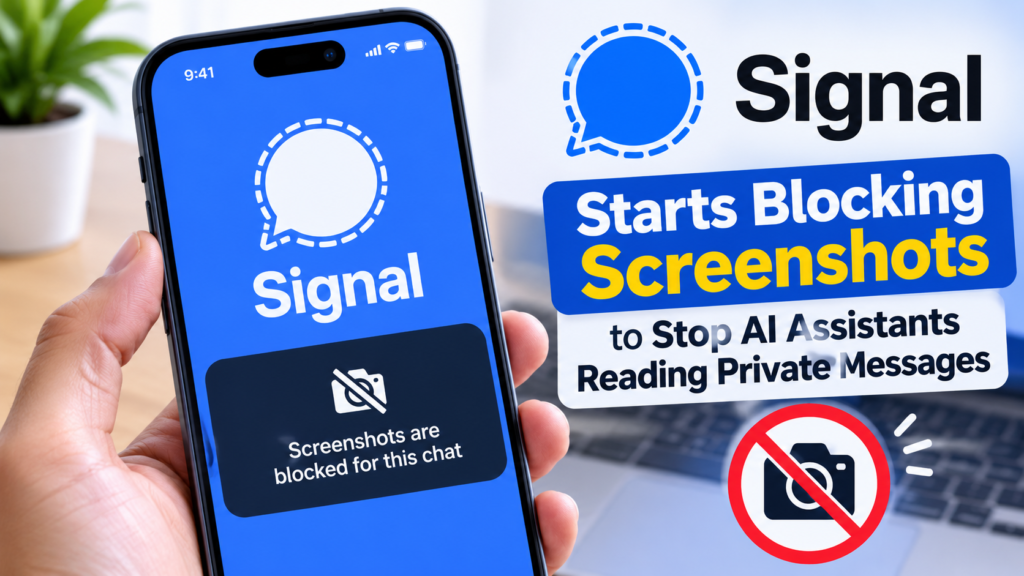
Signal has introduced new privacy protections that restrict screenshots and screen recordings inside its mobile app. The change is designed to prevent built-in AI assistants, including Google Gemini and Apple’s Siri AI, from reading private conversations displayed on a user’s phone.
Announced on November 20, 2026, the move highlights a growing concern about how modern smartphones access personal information. AI assistants are becoming more deeply integrated into mobile operating systems, allowing them to understand screen content and perform tasks across different applications.
Although these features can make smartphones more convenient, they also create new privacy questions. Signal argues that private messages should remain protected even when an operating system’s AI assistant can interact with other applications.
Why Is Signal Blocking Screenshots?
Signal is widely recognised for its end-to-end encrypted messaging system. This technology ensures that messages are protected while being transmitted between users, preventing outside parties, including Signal itself, from reading their contents.
However, encryption cannot protect information after it appears on a device’s screen.
For example, imagine someone receives a private message containing financial information, personal details or a confidential business discussion. An AI assistant with access to the screen may be able to read that information to answer a question or complete a task.
The problem is that the message could potentially be captured and processed outside the messaging application’s encrypted environment.
Signal is concerned that operating system-level AI features could access sensitive conversations without users fully understanding what information is being collected.
The company is therefore introducing additional protections that prevent supported AI assistants from reading content displayed inside Signal.
How Google Gemini and Apple’s Siri AI Create New Privacy Concerns
Google and Apple are expanding the capabilities of their mobile assistants.
On supported Android devices, Google Gemini can interact with information displayed on a screen and assist with tasks across applications. Apple’s newer Siri AI capabilities are also designed to understand on-screen context and provide more relevant assistance.
These features can be useful. For example, an assistant might help users understand information in an application, summarise content or complete a task without manually switching between different screens.
However, the same access can become a concern when an application contains sensitive information.
Signal argues that developers need better ways to control whether operating system-level AI assistants can access their applications.
The company also wants technology providers to explain more clearly how their AI systems access screen content, notifications and locally stored files.
What Changes on Android and iPhone?
Signal is introducing different protection mechanisms depending on the operating system.
<box gap={3}>
<row align=start gap={3}>
<AsyncImage query=”Signal Android app Screen Security privacy settings screenshot” aspectRatio=”4:5″ maxWidth=”112px”/>
<box flex=”1″ gap={1}>
Signal automatically enables Screen Security when it detects an AI assistant attempting to read the app’s screen. Users can also enable it manually through the privacy settings.
The feature blocks screenshots, screen recordings and certain forms of screen content exposure.
</box>
</row> <divider color=”subtle”/> <row align=start gap={3}> <AsyncImage query=”Signal iPhone Block Siri AI privacy setting screenshot iOS” aspectRatio=”4:5″ maxWidth=”112px”/> <box flex=”1″ gap={1}> **iPhone: Block Siri AI**
On supported iPhones running iOS 27, Signal introduces a Block Siri AI setting that is enabled by default.
It prevents screenshots and screen recordings inside Signal and restricts Siri AI from accessing the app’s displayed content.
</box>
</row> </box>
The protections require supported Signal versions:
| Platform | Minimum supported version |
| Android | Signal 8.35.1 or later |
| iPhone | Signal 8.37 or later, running iOS 27 or later |
The exact behaviour differs between platforms. Android activates its protection when it detects an AI assistant attempting to access the screen, while the iPhone protection is enabled by default on supported devices.
How to Enable Signal’s Screen Protection
Users can check their privacy settings to make sure the protection is active.
On Android:
- Open the Signal application.
- Tap your profile picture.
- Open Settings.
- Select Privacy.
- Open App security.
- Enable Screen security.
On iPhone:
- Open Signal.
- Tap your profile picture.
- Open Settings.
- Select Privacy.
- Find Block Siri AI.
- Keep the setting enabled.
On iPhone, users can temporarily disable the protection for ten minutes if they need to take a screenshot. Android users can also switch Screen Security off manually.
Signal warns that disabling these protections may expose conversation content to AI assistants that can access the screen.
Does This Mean Users Can No Longer Take Screenshots?
Yes, while the protection is active, Signal blocks screenshots and screen recordings within the app on supported devices.
This is an important change for people who regularly save conversations for personal records, work discussions or other purposes.
However, users can disable the protection when necessary. On supported iPhones, Signal also provides a temporary ten-minute option before the protection automatically returns.
There is another important limitation: this feature protects content displayed on the user’s own device. It does not prevent another person in the conversation from taking a screenshot on their own phone.
Therefore, users should not treat screenshot blocking as a guarantee that a conversation can never be copied or shared.
Does Signal’s Encryption Change?
No. Signal’s end-to-end encryption remains unchanged.
The new protection focuses on preventing operating system-level AI assistants from capturing information displayed inside the application. It does not replace encryption or introduce a new messaging protocol.
The distinction is important because encryption protects communication between devices, while screen security protects information after it has been displayed.
Even a strongly encrypted application can face privacy risks if another service gains access to its content through screenshots, notifications or device permissions.
Signal also acknowledges that its new protection is incomplete. AI assistants may still be able to access information through other methods, including files already stored on a device.
The company says it cannot currently provide equivalent automatic protection on macOS.
What This Means for Other Messaging and Banking Apps
Signal’s announcement raises a wider question for the technology industry: how much access should an AI assistant have to information inside other applications?
Messaging platforms are not the only services handling sensitive information. Banking applications, healthcare platforms, password managers, workplace tools and email services also contain private data.
If operating system-level assistants can access screen content, developers need reliable ways to decide what information those assistants can read.
This creates a challenge for companies developing both mobile operating systems and individual applications. They need to provide useful AI features without weakening the privacy protections users expect.
For consumers, it also means reviewing application permissions and understanding what information their device’s built-in assistants can access.
The Future of Smartphone Privacy
Signal’s decision marks an important development in the relationship between mobile privacy and artificial intelligence. Smartphone assistants are becoming more capable, but their growing access to personal information creates new responsibilities for technology companies.
Blocking screenshots is not a complete solution, and Signal openly acknowledges its limitations. However, the change demonstrates that application developers may need stronger controls to protect information from services operating at the system level.
As AI assistants become more integrated into everyday smartphones, privacy will depend not only on how securely applications transmit information, but also on what happens after that information appears on a screen.