
Your phone number connects you to calls, text messages, mobile data, and many online services. For years, connecting a phone to a mobile network meant inserting a small plastic SIM card. Now, many smartphones also support eSIM, a digital alternative that lets users activate a mobile plan without inserting a physical card.
An eSIM can make switching networks, managing multiple numbers, and travelling internationally more convenient. However, it also has limitations, including device compatibility and differences in carrier support.
So, what exactly is an eSIM, how does it work, and is it better than a traditional SIM card?
What Is an eSIM?
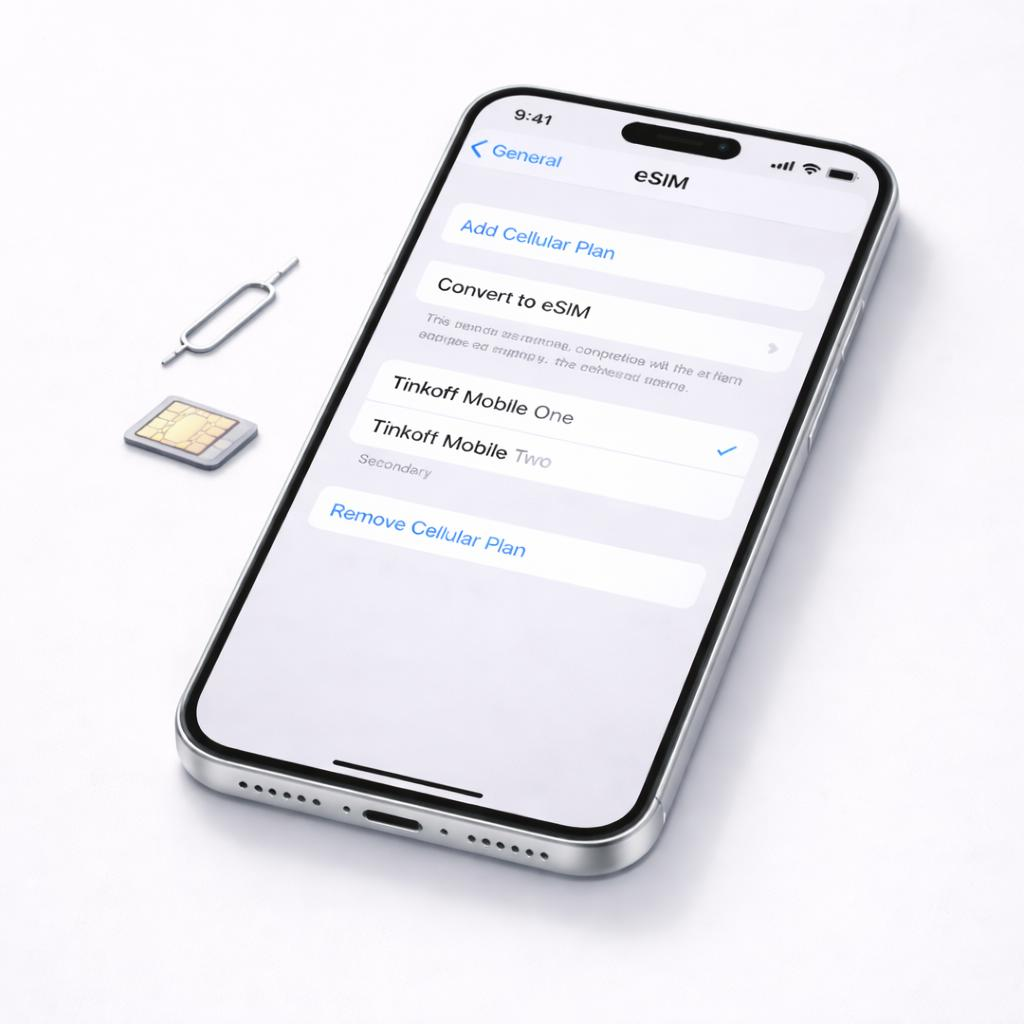
An eSIM, short for embedded SIM, is a digital SIM built into a compatible device. Unlike a traditional SIM card, it does not need to be physically inserted or removed.
Instead, a mobile operator provides a digital SIM profile that can be installed on the device. This profile allows the phone to connect to the operator’s network, much like a physical SIM.
Depending on the phone and mobile operator, users can activate an eSIM by scanning a QR code, using a carrier app, transferring an existing plan, or following instructions in the phone’s settings.
An eSIM does not automatically provide free internet or eliminate the need for a mobile operator. You still need a supported mobile plan to make calls, send messages, or use cellular data.
How Does an eSIM Work?
A physical SIM stores information that helps a mobile network identify and authenticate a subscriber. An eSIM performs the same essential role, but its profile is downloaded to a built-in component rather than stored on a removable card.
The setup process usually works like this:
- Check compatibility: Confirm that your phone supports eSIM and is not restricted to an incompatible network.
- Choose a mobile operator: Select a carrier or plan that supports eSIM activation.
- Install the eSIM profile: Follow the operator’s instructions, which may involve scanning a QR code or using an app.
- Activate the service: The operator verifies the subscription and connects the phone to its network.
- Manage your connection: Use the phone’s SIM settings to select the line for calls, messages, or mobile data when multiple lines are supported.
Once activated, an eSIM works much like a physical SIM for everyday mobile connectivity. The main difference is how the subscriber profile is installed and managed.
eSIM vs Physical SIM: Key Differences
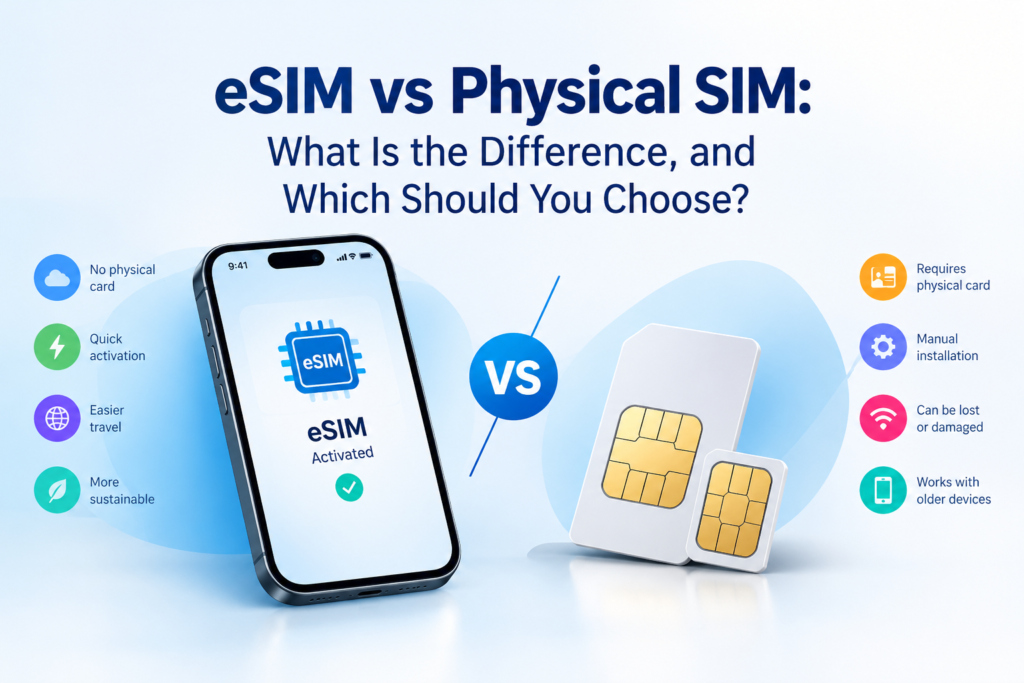
Both options connect your phone to a mobile network, but they differ in convenience, flexibility, and compatibility.
| Feature | eSIM | Physical SIM |
| Installation | Download or transfer a digital profile | Insert a SIM card |
| Physical card | Not required | Required |
| Switching phones | Usually requires digital transfer or carrier assistance | Often as simple as moving the card |
| Network activation | May be completed digitally | Depends on the carrier and SIM |
| Travel plans | Convenient for compatible travel plans | Can use local SIM cards where available |
| Multiple numbers | Multiple profiles may be stored, subject to device limits | Depends on the phone’s SIM slots and support |
| Device compatibility | Requires eSIM support | Requires a compatible physical SIM slot |
| Risk of losing the card | No removable SIM to misplace | The small card can be lost or damaged |
Neither option is automatically better for every user. The right choice depends on your phone, mobile operator, travel habits, and preference for convenience.
What Are the Advantages of an eSIM?
1. Easier Switching Between Mobile Plans
With eSIM, users may be able to activate a new mobile plan without visiting a store or waiting for a physical SIM card. Some operators allow activation through their apps or online services.
This can be especially convenient when changing plans or adding a second number. However, the process depends on the operator and may require verification.
2. Useful for International Travel
Travellers can purchase supported international or local data plans and install them before or during a trip. This can help them avoid expensive roaming charges from their usual operator.
For example, a traveller can keep their regular number active for important calls while using a separate travel eSIM for mobile data, provided the phone and plans support this arrangement.
Before buying a travel eSIM, check which countries it covers, how much data it includes, when the plan starts, and whether it supports calls and text messages or only data.
3. No Physical SIM Card to Lose
Because the SIM profile is stored digitally, users do not need to handle a tiny card when changing compatible plans.
An eSIM can also be more difficult for someone to remove from a stolen phone than a removable SIM card. However, it does not replace a strong screen lock, account security, or the ability to contact your carrier if your phone is lost.
4. More Flexible Device Designs
Removing the need for a removable SIM slot can give manufacturers more flexibility when designing internal phone components. It can also simplify device construction.
The actual benefits depend on the design. An eSIM-only phone is not necessarily thinner, cheaper, or better than a phone with a physical SIM slot.
What Are the Disadvantages of an eSIM?
1. Not Every Phone Supports It
Some older smartphones and budget models do not include eSIM support. Even when a phone supports eSIM in one country, a different regional version may have different capabilities.
Before buying a phone or an eSIM plan, check the exact model and the supported operators.
2. Switching Phones Can Be Less Straightforward
With a physical SIM, you can often move the card directly to another compatible phone. Moving an eSIM may require a transfer process, a new QR code, a carrier app, or assistance from the operator.
If your phone is damaged or lost, you may need to verify your identity before activating the number on a replacement device.
3. Carrier Support Varies
Not every mobile operator supports eSIM, and the activation process differs between providers. Some carriers may charge fees or place restrictions on transferring an eSIM between devices.
Availability also varies by country, subscription type, and device model.
4. Setup May Require an Internet Connection
Downloading an eSIM often requires Wi-Fi or another working internet connection. If you are setting up a phone while travelling and have no access to Wi-Fi, activation may be more difficult.
It is sensible to install and test a travel eSIM before relying on it at your destination.
Is an eSIM Safe to Use?
An eSIM can offer practical security benefits because it cannot be physically removed from a device in the same way as a traditional SIM card.
However, it is not completely immune to fraud. Criminals may still attempt SIM-swap fraud by convincing a mobile operator to transfer a number to a different SIM or eSIM.
To protect your number:
- Use a strong screen lock and secure your mobile account.
- Enable additional account verification where available.
- Never share one-time verification codes with strangers.
- Be cautious of unexpected messages asking you to reactivate your mobile service.
- Contact your operator immediately if your phone unexpectedly loses cellular service and you suspect unauthorised changes.
An eSIM improves convenience, but safe account management remains important.
How to Check Whether Your Phone Supports eSIM
The steps vary by manufacturer and software version, but you can usually find the answer in your phone’s settings.
On an iPhone:
- Open Settings.
- Tap Mobile Service or Cellular.
- Look for an option to add an eSIM.
- Confirm compatibility with your operator.
On an Android phone:
- Open Settings.
- Look under Network and Internet, Connections, or SIM Manager.
- Check for an option such as Add eSIM or Add mobile plan.
- Confirm that your exact device model and operator support the feature.
Seeing an eSIM menu is a useful indication, but it does not guarantee that every operator supports activation on your device. Contact your carrier if you are unsure.
Should You Choose an eSIM or a Physical SIM?
An eSIM is a good choice if you frequently travel, want to manage multiple mobile plans, or prefer digital activation. It can make switching plans easier when your phone and operator support the necessary features.
A physical SIM may be more convenient if you regularly move your number between older phones, use devices without eSIM support, or prefer a simple removable card.
Some phones support both options, allowing users to keep a physical SIM and add an eSIM. This can be useful for separating work and personal numbers or combining a regular mobile plan with a travel data plan.
Before switching, confirm that your current number can be transferred, understand any carrier fees, and keep access to your existing service until the new connection works.
Final Thoughts
eSIM technology is changing how people connect their phones to mobile networks. It removes the need for a removable card and can simplify mobile plan activation, international travel, and the management of multiple numbers.
However, eSIM is not universally supported, and transferring a digital SIM can sometimes require more steps than moving a physical card.
For most users, the best choice is the one that works reliably with their phone and mobile operator. Check compatibility before switching, compare the available plans, and choose the option that fits how you use your phone.